

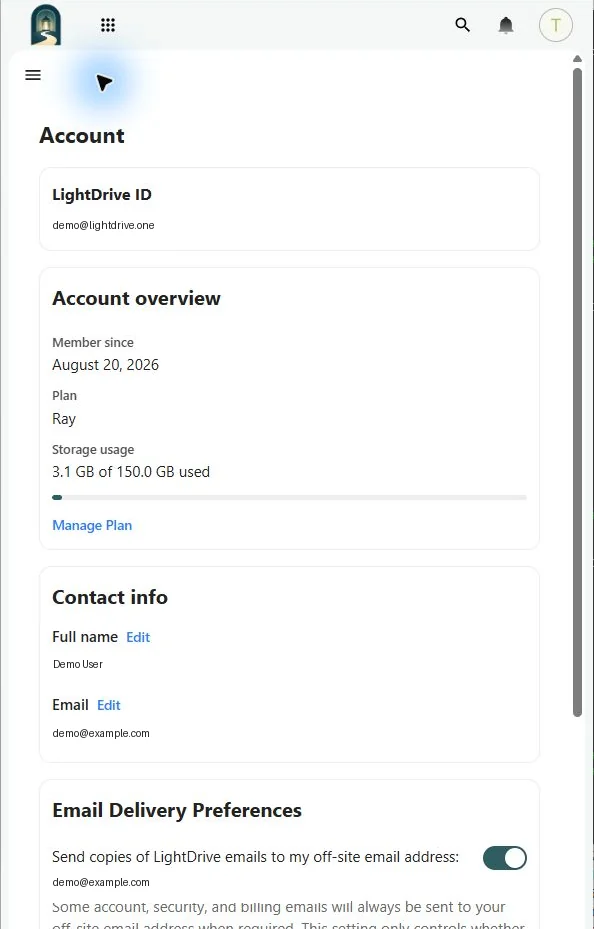
Open Settings → Account for the identity and service information attached to your LightDrive account.
LightDrive ID
Your LightDrive ID is your permanent account name. It also forms your @lightdrive.one email address.
Account overview
The overview shows the account’s membership date, plan, status, and current Vault storage use. Storage usage includes your active files and items in Deleted files, measured against your assigned quota. The Files sidebar shows the same combined usage and quota. Moving a file to trash or restoring it does not free storage; permanently deleting it does. See Storage Usage and Quotas.
Vault storage and mailbox storage are separate; see Settings → Plan & Billing for plan details and Email for mailbox usage.
Recovery email
The recovery address is the outside address LightDrive uses for verification, password recovery, and important account notices. A change does not take effect until the new address is verified. While a change is pending, the banner offers Resend email verification and Cancel change.
Preferences
The Account page also contains regional and communication preferences supplied by LightDrive. Appearance controls, including the Dyslexia font option, are under Appearance & Accessibility.