

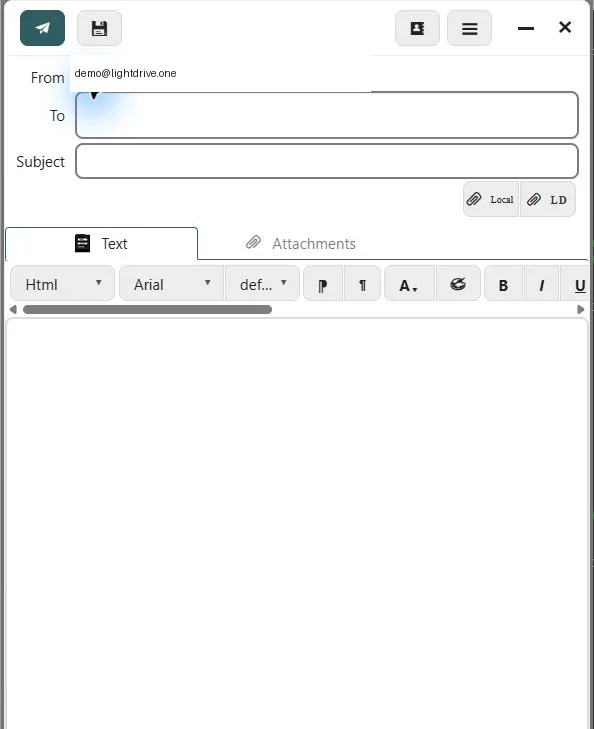
- Open Email and select New message.
- Enter one or more recipients in To. Use Cc or Bcc only when needed.
- Enter a clear subject and write the message.
- Add attachments before sending.
- Review the recipients and select Send.
Sent mail is stored in the Sent folder. A message you save without sending appears in Drafts.
If sending is disabled, confirm that the recovery email is verified and that the account is active. A mail client must authenticate to SMTP on port 587 with STARTTLS; port 993 is for receiving mail and cannot send.
Undo send or send later
In browser Email, Send starts a 30-second countdown by default. Change the delay in Settings → General → Sending or at the top of Outgoing. Select Send now to skip the remaining wait. Select Undo send before sending begins to cancel and recover the message in Drafts. Closing the countdown dialog does not cancel it. Learn about Undo send and recovery.
Choose Schedule send beside Send to select a future date and time. The server sends while your browser is closed. Review or cancel scheduled messages from Outgoing in the sidebar. Schedule an email.
Attachment reminder
If you write a phrase such as “I’ve attached the report” but have no file attached, browser Email offers Back to message or Send anyway before queuing the message. For scheduled messages, choose Schedule anyway to keep the selected time. Closing the reminder or pressing Escape returns without sending. The reminder also works when Delay before sending is Off.
Quoted replies and recognizable signatures are excluded. Inline signature images do not count as attached files. This reminder recognizes some common English phrases in the regular editor; it cannot detect every missing file and does not inspect external encrypted editors.