

- Open Settings → Support.
- Select the category that best matches the problem.
- Enter a brief subject.
- Describe what happened, what you expected, the device or app involved, and the exact error text.
- Mark urgent only if you cannot access your files, account, or email.
- Select Send support request.
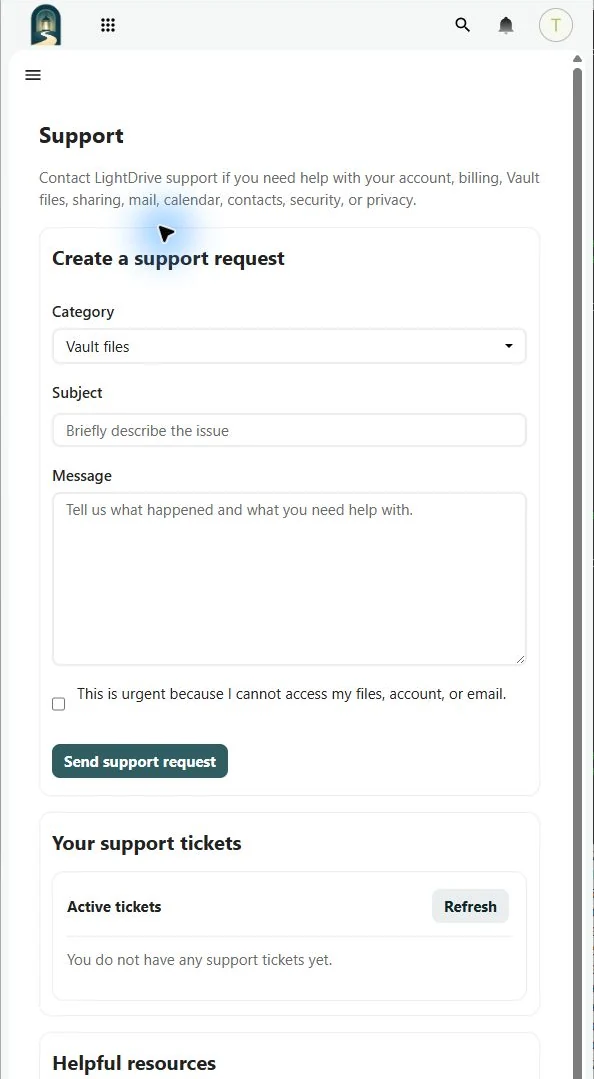
The form accepts text up to 10,000 characters and does not accept attachments. Describe a screenshot’s important text in the message. LightDrive assigns a ticket key and stores the conversation in your Support page.