

Open Settings → Plan & Billing and expand billing history.
LightDrive lists recent Stripe invoices with date, plan description, amount, and a status such as Paid, Open, Refunded, Partially refunded, Void, or Uncollectible. Select the available invoice or receipt link to open the Stripe-hosted record or PDF.
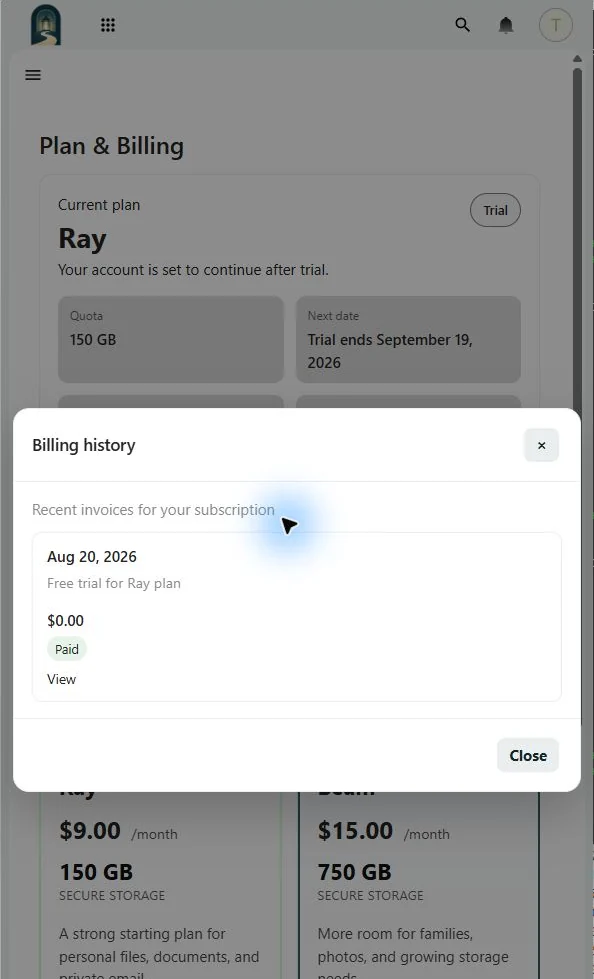
The page shows a recent subset. Use Manage billing to open the Stripe customer portal when you need the full history or payment-method controls.
If a charge is unfamiliar, compare its invoice date and plan description with your plan-change history, then contact Support before disputing it through the card issuer.