

Open Settings → Plan & Billing and select an available plan.
- Review the target plan, storage allowance, monthly price, and whether the change is an upgrade or downgrade.
- Review the effective billing adjustment shown for the current subscription.
- Confirm the change once.
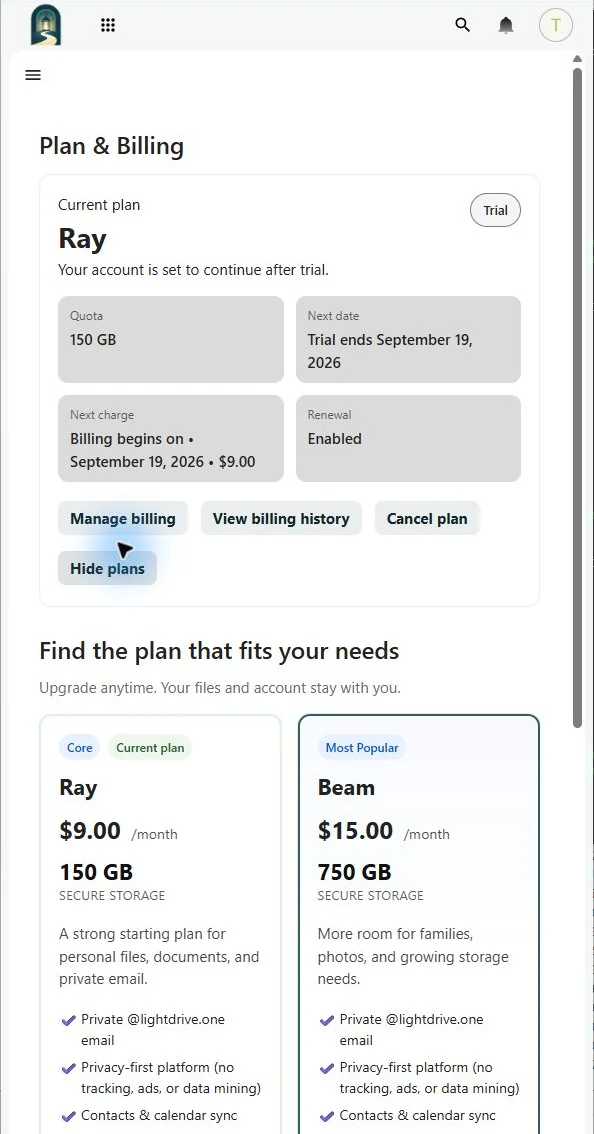
Outside a trial, LightDrive asks Stripe to apply the plan change immediately and create the applicable proration. During a trial, the plan change does not create a proration. Selecting Beam or Glow during a trial requires a payment method.
An upgrade makes the larger Vault allowance available after the change succeeds. Before a downgrade, reduce storage below the new quota so synchronization and uploads can continue.