

Open your Vault account menu, select Settings, and open Plan & Billing.
The page shows the current plan, Vault quota, subscription or trial status, the next billing event, automatic-renewal state, and the actions available for the account’s current lifecycle state.
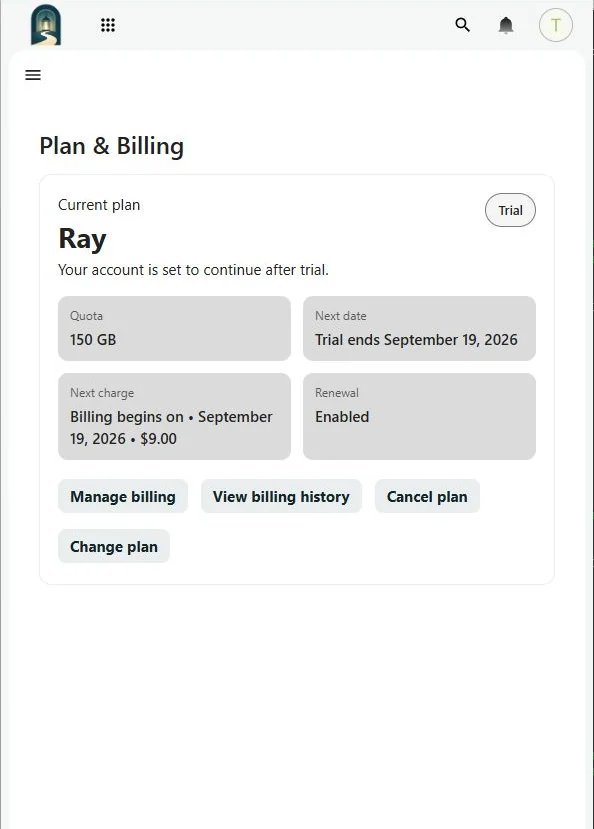
The status card uses direct labels such as Active, Canceling, Action required, Restricted, Suspended, or Canceled. Read the message and date shown with the label; they identify the next payment, service-end date, grace-period deadline, or other required action.
If the page cannot verify current billing data, do not repeat a payment or plan change. Refresh once and contact Support if the information remains unavailable.