

LightDrive provides separately revocable credentials for connected apps. Choose the narrowest access that fits the app. One Email & contacts password may be used for both services by a compatible app; other credential types remain limited to their named services.
Vault app passwords
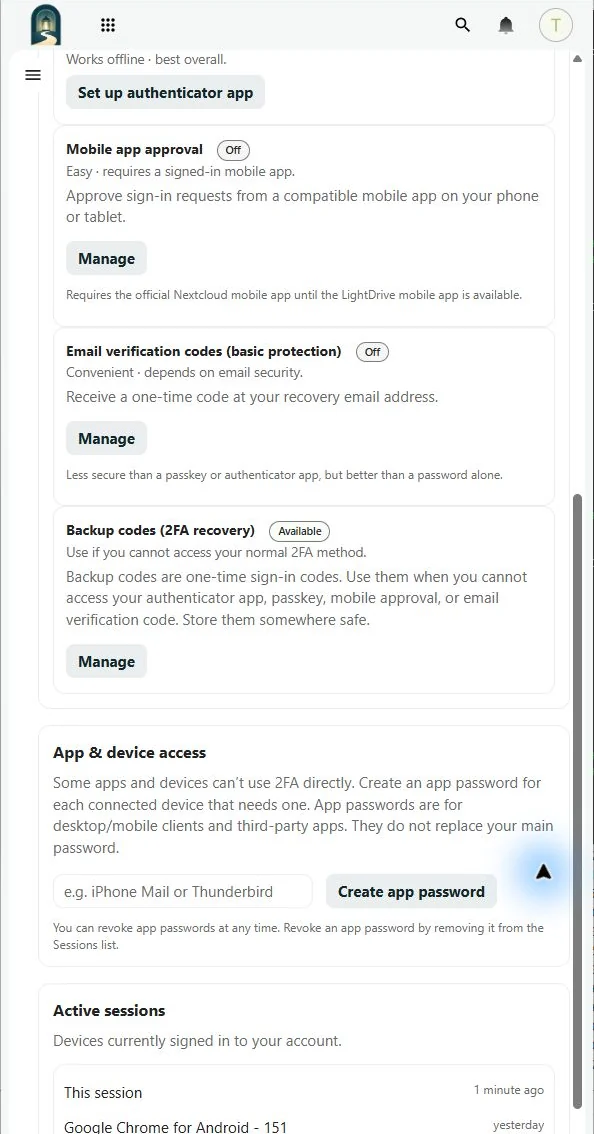
Use a Vault app password with Files, Calendar, and other Vault services when a client cannot complete browser sign-in or two-factor authentication.
- Open Settings → Security → App & device access.
- Under Vault app passwords, enter a name that identifies the app and device.
- Select Create Vault app password and copy the value immediately.
- Enter it in the Vault client in place of your main password.
Email client passwords
Use an Email client password with LightDrive IMAP and authenticated SMTP clients such as Thunderbird, Outlook, Apple Mail, or an Android mail app. External email clients require this credential; the main Vault password and Vault app passwords do not authenticate to email.
- Under Email client passwords in Settings → Security → App & device access, enter a name that identifies the app and device.
- Choose Email & contacts when the app also supports CardDAV, or Email only when it does not need contacts.
- Select Create client password and copy the value immediately.
- Enter it as the normal password for both incoming and outgoing mail. An Email & contacts password can also be entered for CardDAV.
Contacts-only client passwords
Use a Contacts-only client password with a phone, contacts synchronization app, or another CardDAV client that does not need email access.
- Open the Vault Contacts app and select Mobile & app connections.
- Enter a name that identifies the contacts app and device.
- Create the password and copy the value immediately.
- Enter it as the CardDAV password with your full LightDrive email address as the username.
Each value is shown only when created. If it is lost, revoke it and create another. Name each credential for one app and device so you can revoke access without interrupting another connection.
Each credential can be revoked without changing the main password. Treat every credential as a secret and use it only for the access shown when it was created.