

The Vault header and sidebars provide the main navigation.
App menu
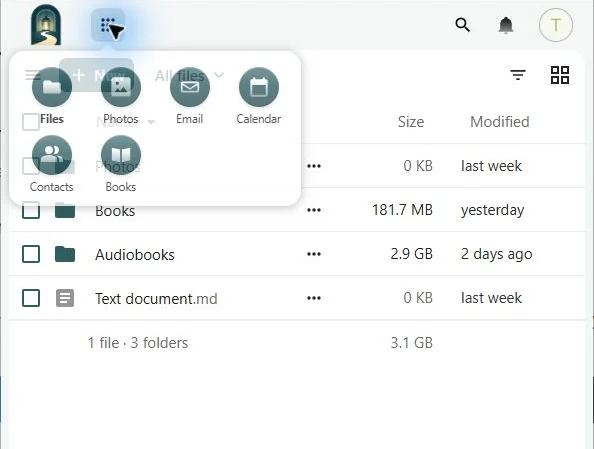
Select the grid icon in the header to open the app menu. Select an app to move to Files, Email, Calendar, Books, Activity, or another enabled service. The current app name appears beside the menu.
App sidebar
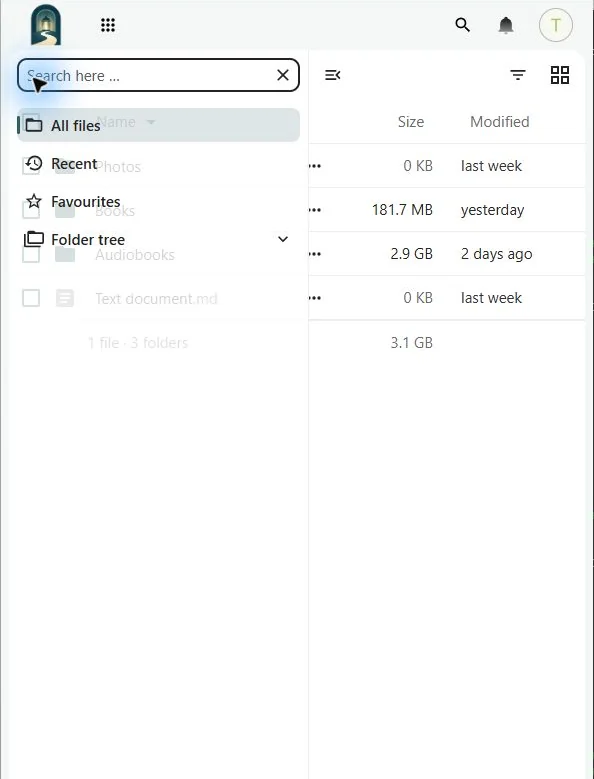
Each app has its own sidebar. On a narrow screen, use the menu button to open it and swipe it closed where supported. The options in that sidebar apply only to the current app.
Account menu and Settings
Select your avatar in the upper-right corner, then select Settings. LightDrive settings include Account, Plan & Billing, Security, Legal, and Support. Nextcloud also provides Appearance & Accessibility and other relevant settings.
Help and search
Select Help to open this manual. Use the Help Center search to find a feature or error message without browsing every chapter.
Write and organize notes
Choose Notes from the Vault apps menu to write notes, organize them into categories, and share their files. Start with Getting Started with Notes, or browse the Notes chapter.